Main menu
The main menu at the top of the application enables to access various general elements.
File menu
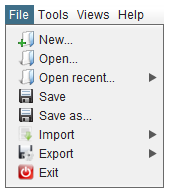
The File menu allows opening and saving GDML files and also various import and export options. An option also permits opening recent files. Finally the exit option enables leaving the application.
Please note that EDGE can only load one file at a time. When opening a GDML file, if there are unsaved modifications, the application will propose to save this work before replacing it by the new opened file.
In its trial version, EDGE does not allow exporting or saving to GDML.
|
EDGE tries to load all files, even if there are inconsistencies. For example, if a file contains two solids with the same name, EDGE will only consider the last element with this name and inform about this issue and the chosen resolution. |
Tools menu
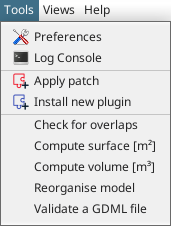
The Tools menu offers various tools and shortcuts. From here, you can access the preferences panel presented in preferences. The console log is displaying various messages from the application such as errors and warnings.
With this menu, it is also possible to apply corrective patch to EDGE or install new feature plugin. To do so, click on the correct item and a file choose will appear and asks where the patch/plugin is located. Once installed, it is recommended to restart the application.
This menu also offers access to various tools and model computation operations which are described in more details in model operations.