GDML File
EDGE provides a rich text-editor to complete the capabilities of the other perspectives and let the user freely edit and extend the generated GDML file currently loaded in EDGE.
The perspective is dedicated to this editor shown below.
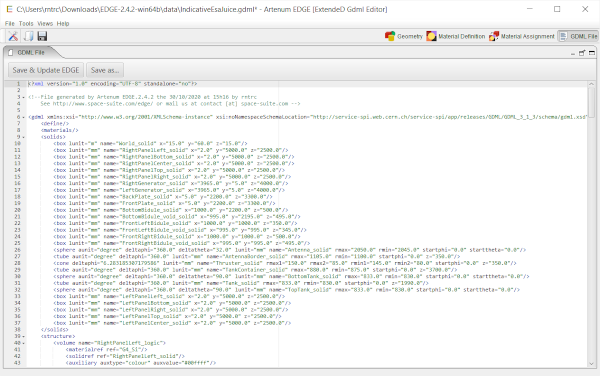
File edition
A rich text-editor shows how the GDML file would be generated on disk. The content of the editor is updated each time the perspective is opened.
It is possible to modify the GDML file directly by editing the generated content.
Once modification performed, it is possible to reload the file into EDGE (to see the modifications in the 3D view for example) using the Save & Update EDGE button but it is also possible to save the produced content to somewhere else on the disk by using the Save as… button.
| Be aware, that when reloading your modification into EDGE, it will be reinterpreted by the software and if you switch back to the GDML file perspective, its content will be re-generated from EDGE data-model and thus may have a different syntax but will represent the same system. |
This editor provides a syntactic colorization and completion. Completion is available by typing the ctrl+space key combination.
| This perspective is disabled in trial mode of EDGE and you need the full version of EDGE to use it. |